


 Lens
Lens Camera Accessories
 Gimbal

 Mic
Mic


 Computer Components
 Health & Beauty




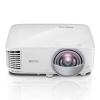


BenQ MW809STH education projector enhances interactive learning and classroom collaboration with outstanding picture quality, high brightness, and short throw capability. Smart installation flexibility combined with reduced maintenance and ownership costs make MW809STH the ideal choice for today’s schools.
Incorporating color wheel sensors with an ingenious anti-dust accumulation feature, MW809STH prolongs optimal performance by rejecting dust which can accumulate on traditional sensors to block the IR signal and cause flickering, abnormal colors, or even shutdown.
Offering a big screen in short distance with a 0.49 short-throw ratio, MW809STH eliminates distracting shadows and glare for students and teachers to engage and collaborate freely in front of the board.
MW809STH produces 3,600 high ANSI lumen brightness and resolution for perfect projection performance with crisp images and sharp text even in bright lecture room. High brightness provides clear content under high ambient lighting, allowing lights to be kept on during classes for note taking and interactive collaboration.
BenQ education projectors offer a range of resolutions and projected image sizes to meet diverse classroom needs. Featuring crisp image quality up to 120 inches, our ultra-short throw education projectors deliver increased classroom versatility at reduced costs.
With sealed design that protects the DLP chip from dust-induced image degradation and the industrial-grade durability of DLP projection technology, BenQ education projectors are capable of maintaining long-lasting picture quality by eliminating color decay. Unlike non-DLP projectors, BenQ education projectors deliver premium picture quality equivalent to the result from brand new projectors after lamp replacement.
BenQ DLP projectors feature class-leading high fill factor, minimizing black borders around each pixel to eliminate the dreaded “screen door effect” commonly observed in non-DLP projectors. BenQ education projectors produce superior definition and clarity in small-size text and fine details for beautifully rendered images instead of pixelated graphics.
Ideal for text, numbers, and tables widely used in instruction, BenQ education projectors leverage the native DLP advantage of digitally controlled micromirrors on the DMD chip. By completely toggling off reflective micromirrors to generate deep true blacks, BenQ education projectors create high native contrast ratio for sharp readability and crisp resolution at every single sub-pixel.
PointWrite™ technology transforms BenQ education projectors into collaborative platforms that turn any surface into an interactive whiteboard. Seamless integration of PointWrite™ kit and QWrite software with BenQ projectors encourages a truly collaborative learning environment where students and teachers work together using intuitive templates along with annotation tools.
With enhanced multi-touch capability for pens or fingers, two PointWrite™ projectors can be used in conjunction to double the interactive projection surface, creating vast new opportunities for interactive learning in modern digital classrooms. In QWrite Whiteboard Mode, teachers can also run different applications or display, view, and annotate across two surfaces.
Reliably accurate in any ambient lighting, PointWrite™ auto calibrates and saves its settings immediately when plugged into a computer’s USB port, remaining ready with no manual configuration or complicated training for teachers.
PointWrite™ projectors support intuitive Windows gestures such as zooming in and out or scrolling while browsing webpages, pictures or Google Maps. All multi-touch commands and gestures are supported for Windows 8 or above and future applications.
BenQ education projectors are ready for BYOD collaboration and creating more engaging lessons via QCast wireless dongle that allows up to 4 participants to stream content from smart devices or computers to the big screen, displaying them in 4 split screens.
The exclusive BenQ innovation SmartEco™ technology intelligently modulates light output and perfects DLP’s energy saving capabilities to increase lamp life with uncompromised brightness and exquisite picture quality. Reducing energy consumption, SmartEco™ extends lamp life up to 15,000 hours, 3X* more than without SmartEco™ technology. And Eco Blank mode further increases energy saving capability by dimming lamp power automatically to lower total power by 70% when blanking the projection.
* The lamp life under LampSave mode is three times longer than under Normal mode.
BenQ’s exclusive SmartEco™ Technology ingeniously adjusts light output based on content, enhancing contrast to produce richer blacks and the best possible picture quality especially important for detailed and dynamic dark scenes such as astronomy courses.
BenQ’s exclusive SmartEco™ Technology ingeniously adjusts light output based on content, enhancing contrast to produce richer blacks and the best possible picture quality especially important for detailed and dynamic dark scenes such as astronomy courses.
Press the “Quick Install” hotkey on the remote control to setup the projector. This is a great time saver for managers performing initial projector installation work.


Reviews
There are no reviews yet