


 Lens
Lens Camera Accessories
 Gimbal

 Mic
Mic


 Computer Components
 Health & Beauty


Wedding Day Shooting Workflow with Nikon: A Photographer’s Blueprint

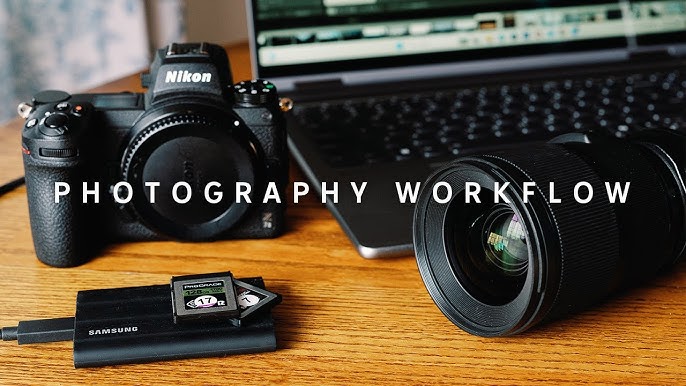
Every wedding is a unique story unfolding in real-time, and a well-planned shooting workflow can be the difference between chaos and stunning storytelling. Nikon cameras—especially the Z series—offer reliability, image quality, and ease of use, making them a top choice for many professionals. This blog outlines a detailed wedding day shooting workflow designed specifically for Nikon users.
1. Pre-Wedding Preparation
- Gear Checklist: Ensure you carry:
- Nikon Z6 II or Z8
- 24-70mm f/2.8 S for versatility
- 85mm f/1.8 S for portraits
- Extra batteries, XQD/CFExpress cards, lens wipes, flashes
- Firmware Updates & Custom Settings:
- Use User Settings (U1/U2) for quick switches between ceremonies and low-light scenes.
- Pre-load Picture Control for consistent tones.
Tip: Back up gear using a second body like the Nikon Z5 or D750.
2. Getting Ready Moments
- Use natural light with wide apertures (f/1.8 – f/2.8)
- Eye-detection AF (Z6 II/Z8) ensures sharp focus on subjects
- Switch to silent shutter mode to remain unobtrusive
Recommended Lens: 35mm f/1.8 S
3. Ceremony Coverage
- Dual Card Slot Setup: Set RAW to slot 1 and JPEG backup to slot 2
- Use 70-200mm f/2.8 S to shoot discreetly from a distance
- White Balance set to Auto with fine-tuning
- ISO Auto with max set to 6400 for indoor shots
Pro Setting: AF-C with wide-area AF for procession shots
4. Couple & Family Portraits
- Soft directional lighting or reflectors
- Nikon’s Eye-Detection AF works perfectly with fast primes (85mm, 105mm)
- Use Picture Control: Portrait for flattering skin tones
Shoot Mode: Aperture Priority, EV Compensation +0.3 to +0.7
5. Reception & Low-Light Scenes
- Use SB-5000 flash with wireless control or Godox V1N
- Nikon Z8/Z6 II performs excellently at ISO 8000+
- Use back-button focus to maintain control in dynamic light
Lens Tip: Switch to 24mm or 20mm f/1.8 S for wide crowd shots
6. Details & Decor
- Shoot decor and rings with macro lenses like 105mm f/2.8
- Use tripods for static shots, even light painting for creative flair
- Dial in custom white balance for consistency in artificial lighting
Tip: Use Focus Peaking in Manual mode for precision
7. Backup & Post-Shoot Routine
- Immediately back up cards to SSD and cloud
- Use Nikon’s NX Studio for initial culling and rating
- Create presets in Lightroom based on Picture Control
Final Tip: Review histogram and highlight alerts during the shoot to avoid blown highlights


